



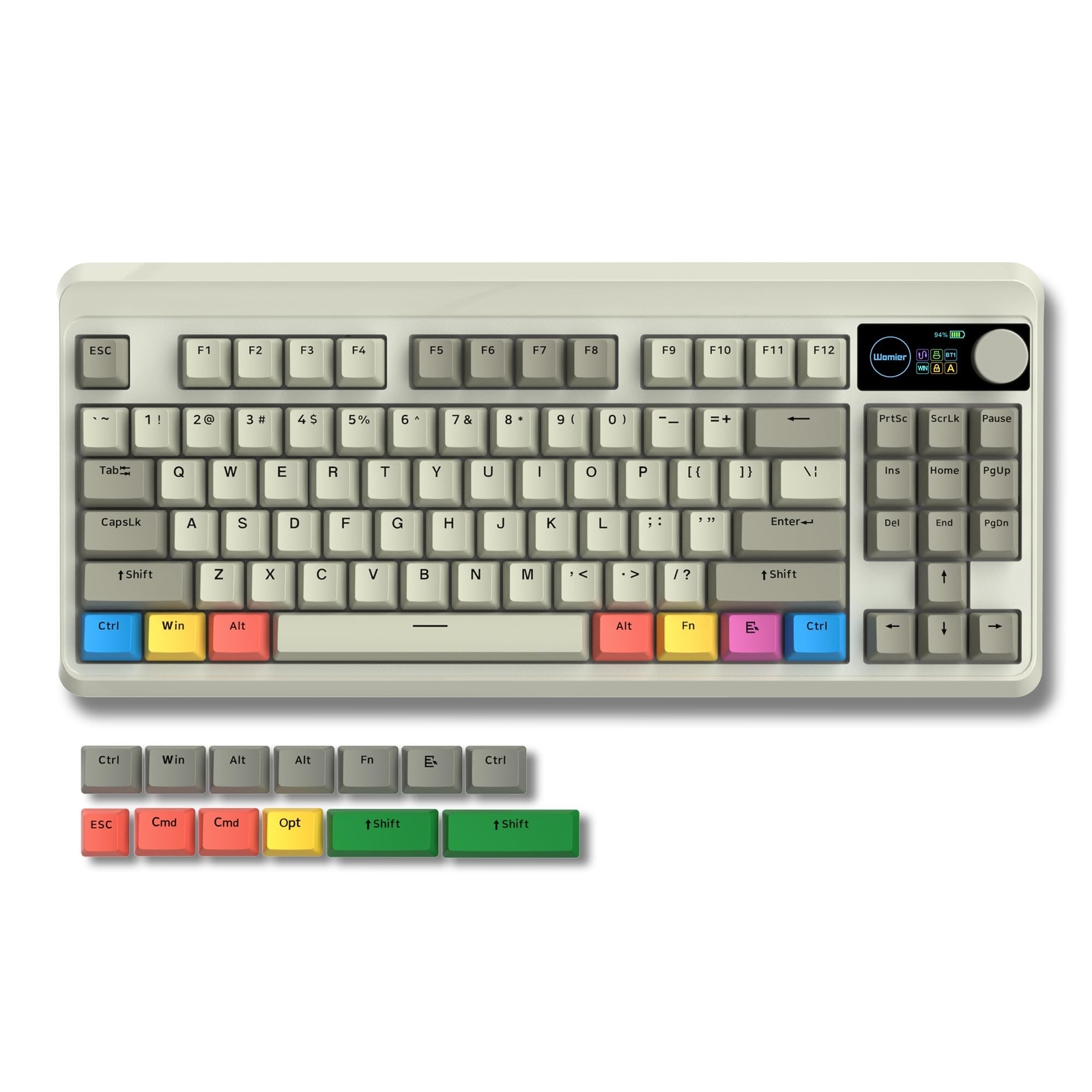
When it comes to choosing the perfect keyboard, layout plays a crucial role in comfort, functionality, and aesthetics. Two of the most popular layouts on the market today are the 87 keyboard and the 60% keyboard. Each offers a distinct typing experience, so understanding their differences can help you decide which fits your style.
What is an 87 Keyboard?
The 87 keyboard, also known as a tenkeyless (TKL) keyboard, is a compact version of a standard full-sized keyboard. It retains all the essential keys you need for typing and gaming but removes the number pad to save desk space.
Key Features of an 87 Keyboard:
- 87 keys with function row included
- Ideal for users who need arrow keys and navigation keys
- More ergonomic than full-sized keyboards for smaller desks
- Popular among gamers and professionals who prefer dedicated keys
The 87 keyboard is a great choice if you want most of the functionality of a standard keyboard without the bulk.
What is a 60% Keyboard?
The 60% keyboard is even more compact, removing the number pad, function row, and navigation cluster. This layout is highly portable and minimalist, appealing to users who prioritize desk space and portability.
Key Features of a 60% Keyboard:
- Extremely compact with around 61 keys
- Requires key combinations (function layers) for missing keys
- Lightweight and easy to carry
- Stylish and modern aesthetic
While it sacrifices some dedicated keys, the 60% keyboard offers a clean, minimal look and is ideal for users who type mainly with letters and basic functions.
Comparing 87 Keyboard vs. 60% Keyboard
When deciding between an 87 keyboard vs. 60%, it’s important to weigh the advantages and disadvantages of each:
| Feature | 87 Keyboard | 60% Keyboard |
| Size | Compact, but larger than 60% | Extremely compact |
| Functionality | Includes arrow and function keys | Requires function layers for many keys |
| Portability | Moderate | High |
| Gaming/Typing | Great for gaming and productivity | Good for portability, may slow some workflows |
| Desk Space | Requires more space | Saves significant space |
Which Layout Fits Your Style?
Choosing between an 87 keyboard vs. 60% ultimately depends on your workflow, desk setup, and personal preferences.
- Choose an 87 keyboard if you value functionality, gaming efficiency, or often use arrow and function keys.
- Choose a 60% keyboard if you prioritize portability, minimalism, or a clean desk setup.
Some users even prefer a hybrid approach: using a 60% keyboard for portability and a full-size or 87 keyboard at their main workstation.
Final Thoughts
Both layouts have their unique advantages. By considering your daily tasks, space requirements, and typing habits, you can confidently decide whether the 87 keyboard vs. 60% keyboard will best suit your style.
No matter which you choose, investing in a keyboard that complements your workflow can greatly improve both productivity and comfort.
